
Download MarcoPolo – Free Automatic Location Switching Tool for Mac
Overview
MarcoPolo is a lightweight, free utility designed exclusively for macOS that automatically switches your network location based on the Wi‑Fi network you are connected to. First introduced in 2007, MarcoPolo has become a trusted solution for users who travel between home, office, and public hotspots, eliminating the need to manually adjust proxy settings, DNS configurations, or VPN profiles. Although the program has a modest download history—2,695 total downloads since its debut—it remains popular in regions such as China and Germany, where users value its simplicity and reliability. The latest stable version, 2.5, was released on 19 November 2007 and still runs smoothly on modern macOS releases thanks to its minimal system footprint and lack of invasive background services.
Built under the “Internet Software → Networks” category, MarcoPolo offers a secure, non‑intrusive way to keep your network preferences up to date. It stores location profiles in a plain‑text format, making it easy to back up or share across multiple Macs. The tool runs quietly in the menu bar, detecting SSID changes in real time and applying the appropriate network configuration without prompting the user. Because it is a native Mac application, it integrates seamlessly with System Preferences, respecting Apple’s security model and requiring only standard user‑level permissions to operate.
For anyone who needs a hassle‑free way to keep their Mac online in varying environments—students, remote workers, and frequent travelers—MarcoPolo provides a free, secure, and low‑maintenance solution that eliminates the common pitfalls of manual network switching. The software’s small download size (under 2 MB) and lack of bundled adware make it a trustworthy addition to any macOS toolbox.
Key Features
- Automatic location detection: Monitors Wi‑Fi SSID changes and instantly applies the matching network profile.
- Customizable location profiles: Users can define multiple profiles, each containing proxy, DNS, and VPN settings.
- Lightweight footprint: Less than 2 MB on disk and minimal RAM usage, ensuring fast startup and low impact on system performance.
- Menu‑bar integration: Quick access to current location status and manual overrides directly from the macOS menu bar.
- Secure configuration storage: Profiles are saved in plain‑text but can be encrypted manually for added security.
- Cross‑version compatibility: Works on macOS X and later versions, supporting both Intel and Apple Silicon Macs.
- Free of ads and telemetry: No hidden fees, no data collection, and no bundled third‑party software.
- Simple UI: A clean preferences pane that lets users add, edit, or remove locations with drag‑and‑drop ease.
Each of these features contributes to a seamless experience when moving between networks. For example, a user who works from a coffee shop in Berlin can create a “CoffeeShop” profile that disables corporate VPN and sets a public DNS, while a “Home” profile re‑enables the VPN and uses a private DNS server. MarcoPolo switches between these profiles automatically, reducing the risk of accidental data leaks or connectivity issues.
The application also supports batch imports of location files, allowing IT administrators to deploy standard configurations across an entire fleet of Macs with minimal effort. Combined with its free licensing model, MarcoPolo is an attractive option for small businesses looking to streamline network management without investing in costly MDM solutions.
Installation, Usage & Compatibility
Step‑by‑Step Installation
Getting MarcoPolo up and running is straightforward. Follow these steps to download and install the tool securely:
- Visit the official MarcoPolo download page (link provided in the conclusion).
- Click the “Download for macOS” button; the file is a signed
.dmgpackage under 2 MB. - Open the downloaded
.dmgand drag the MarcoPolo icon into your/Applicationsfolder. - Launch MarcoPolo from the Applications folder. macOS may prompt you to confirm the app’s source—choose “Open” to allow execution.
- The first run will request permission to monitor Wi‑Fi changes; click “Allow” in the dialog box.
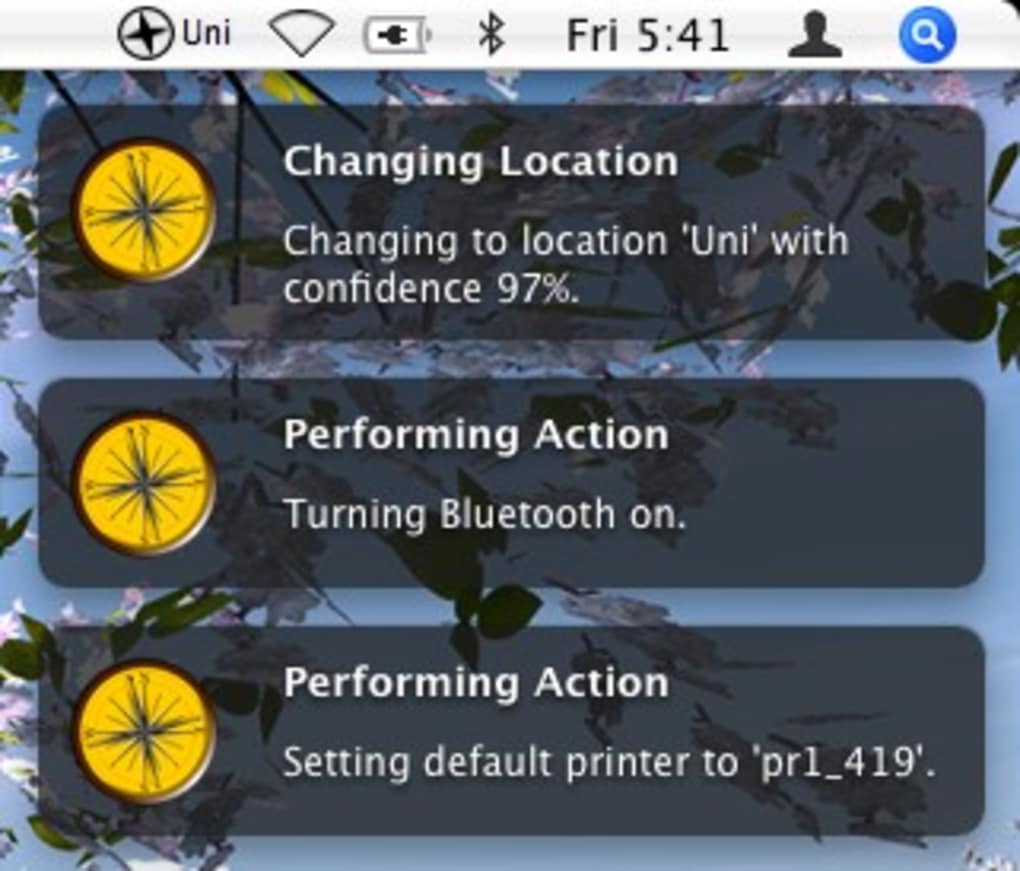
After installation, MarcoPolo adds a small icon to the menu bar. Clicking the icon reveals the current network location and a shortcut to the preferences pane.
Configuring Your First Location
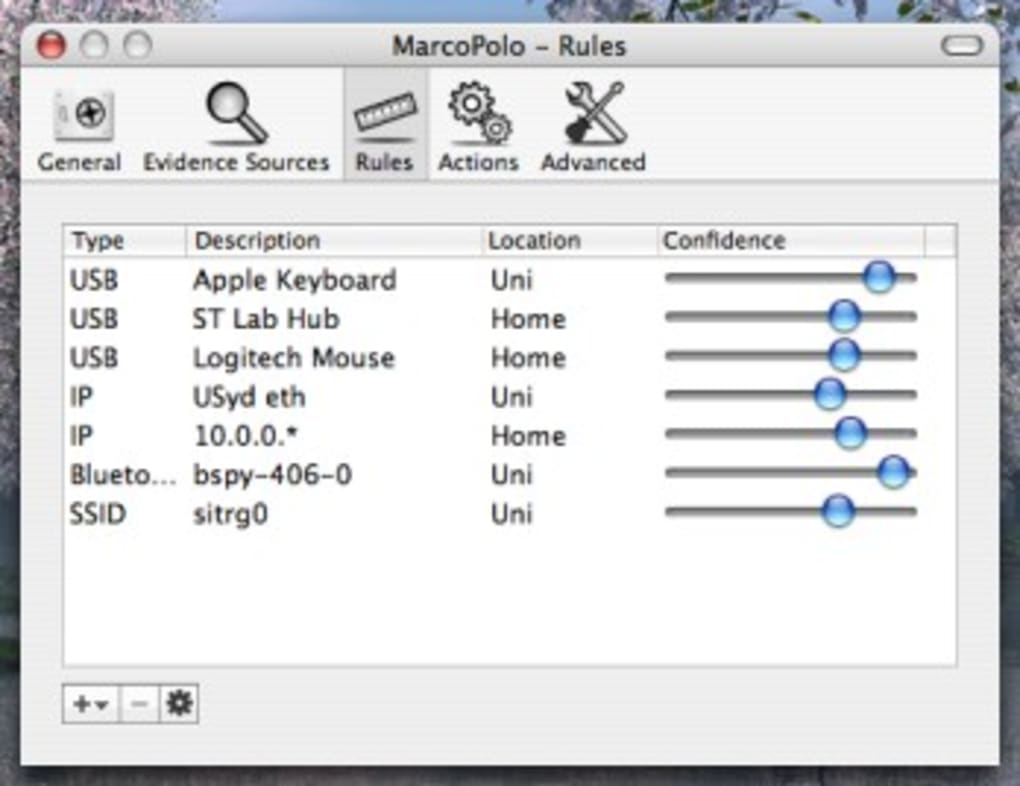
To create a new location profile, select “Preferences” from the menu bar icon, then click the “+” button. Provide a name (e.g., “Office”), select the target SSID from a dropdown list, and fill in the required network parameters—proxy address, DNS servers, and optional VPN configuration. Save the profile, and MarcoPolo will automatically apply it whenever it detects the chosen SSID.
Existing profiles can be edited or reordered at any time. The app also supports a “Manual Override” mode, allowing users to temporarily disable automatic switching without deleting profiles.
Compatibility (itemprop="operatingSystem")
MarcoPolo is built for macOS and supports the following operating system versions:
- macOS 10.4 Tiger and later (including macOS 13 Ventura and macOS 14 Sonoma).
- Both Intel‑based Macs and Apple Silicon (M1, M2, and later) thanks to native 64‑bit binaries.
- English language interface; additional localization may be added by the community.
The application’s minimal system requirements—less than 50 MB of free disk space and 20 MB of RAM—make it suitable for older hardware as well as the newest MacBook models. Because MarcoPolo relies only on standard macOS networking APIs, it does not conflict with third‑party VPN clients or firewall utilities.
Pros, Cons, FAQ & Conclusion
Pros
- Free and open to all macOS users.
- Automatic, reliable location switching saves time.
- Extremely lightweight; no noticeable performance impact.
- Simple, intuitive UI with menu‑bar access.
- No ads, telemetry, or hidden costs.
Cons
- Last official update was in 2007; no modern UI refresh.
- Lacks built‑in cloud sync for profiles across multiple devices.
- Only supports macOS; no Windows or Linux version.
- Advanced VPN configurations require manual editing of profile files.
Frequently Asked Questions (FAQ)
Is MarcoPolo safe to download?
Yes. The official download is digitally signed by the developer, and the installer contains no adware or hidden telemetry. Always download from the official site or reputable mirrors.
Can I use MarcoPolo with a corporate VPN?
Absolutely. You can create separate location profiles that enable or disable your corporate VPN based on the network you connect to. The app simply applies the configuration you define.
Will MarcoPolo work on Apple Silicon Macs?
Yes. The binary is universal and runs natively on both Intel and Apple Silicon processors without any performance penalty.
How do I back up my location profiles?
Profiles are stored in ~/Library/Application Support/MarcoPolo/locations.plist. You can copy this file to an external drive or cloud storage to preserve your settings.
Is there a paid version with extra features?
No. MarcoPolo is completely free, and the developer has not announced any commercial plans. All features are available to every user.
Conclusion & Call to Action
MarcoPolo remains a solid, no‑frills solution for macOS users who need automatic network location switching. Its free price tag, tiny footprint, and straightforward interface make it an attractive option for anyone who moves between home, office, and public Wi‑Fi environments. While the UI may feel dated and there is no built‑in cloud sync, the core functionality works reliably on both Intel and Apple Silicon Macs. If you value a secure, ad‑free tool that eliminates manual network configuration, MarcoPolo is well worth a download.
Ready to simplify your network management? Click the button below to download MarcoPolo for free and start automating your location switches today.







